Open the submission page
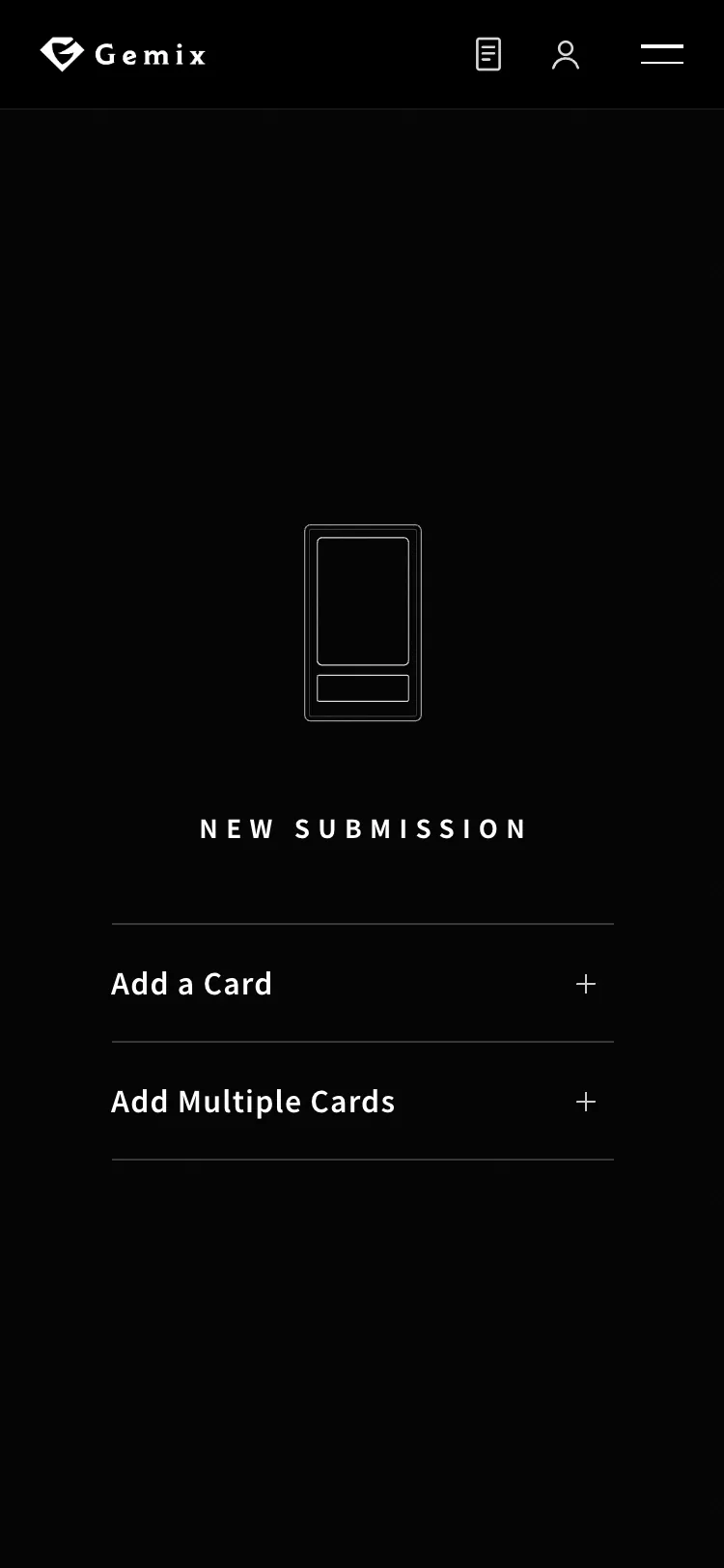
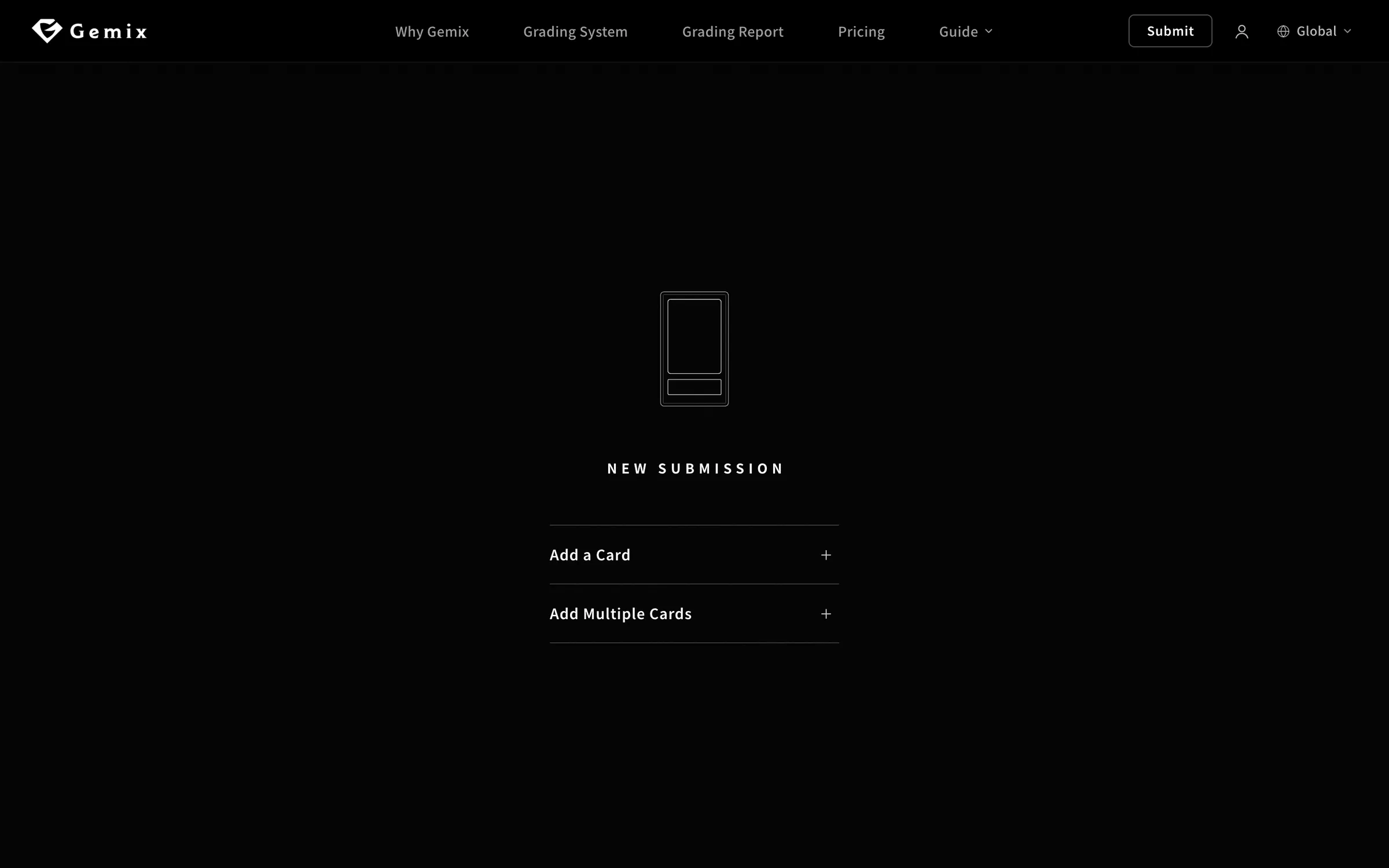
Click “Submit” at the top of the page. You start with an empty submission. Choose “Add a Card” to enter cards one at a time, or “Add Multiple Cards” if you have several.
Submission Guide
A screen-by-screen walkthrough of the submission process, so even your first submission goes smoothly. Switch between computer and smartphone to match your device.
Matched to your device
Before You Start
Have these three things ready and you can submit right away.
01
Free — just an email address and a password. You can also create one during checkout.
02
Card name, set and rarity. You can find a set by the code printed on the card (e.g. SV8a).
03
We accept major credit cards, including Visa, Mastercard, JCB and American Express.
Step by Step
Follow the highlighted areas on each screen, in order.
Click “Submit” at the top of the page. You start with an empty submission. Choose “Add a Card” to enter cards one at a time, or “Add Multiple Cards” if you have several.
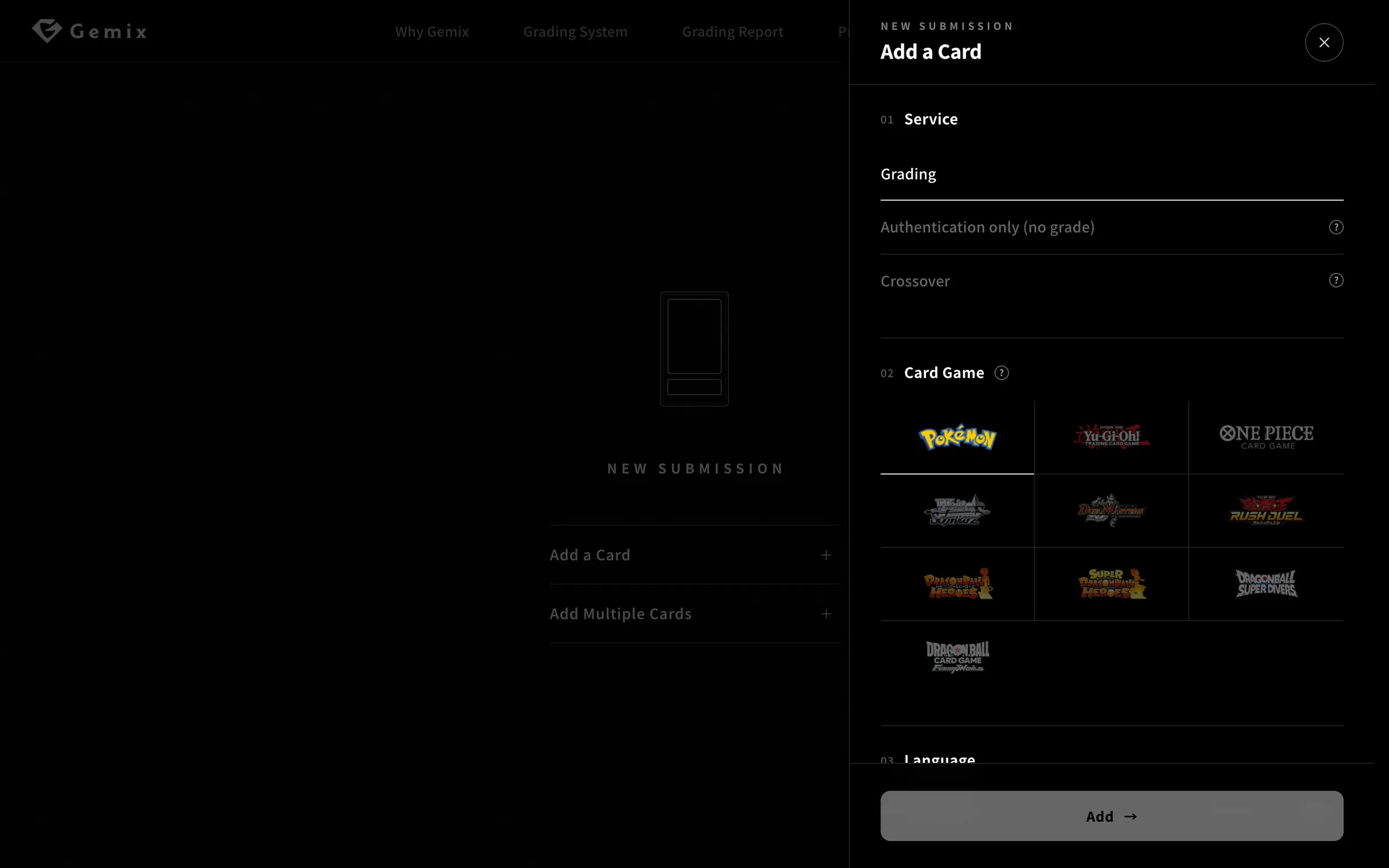
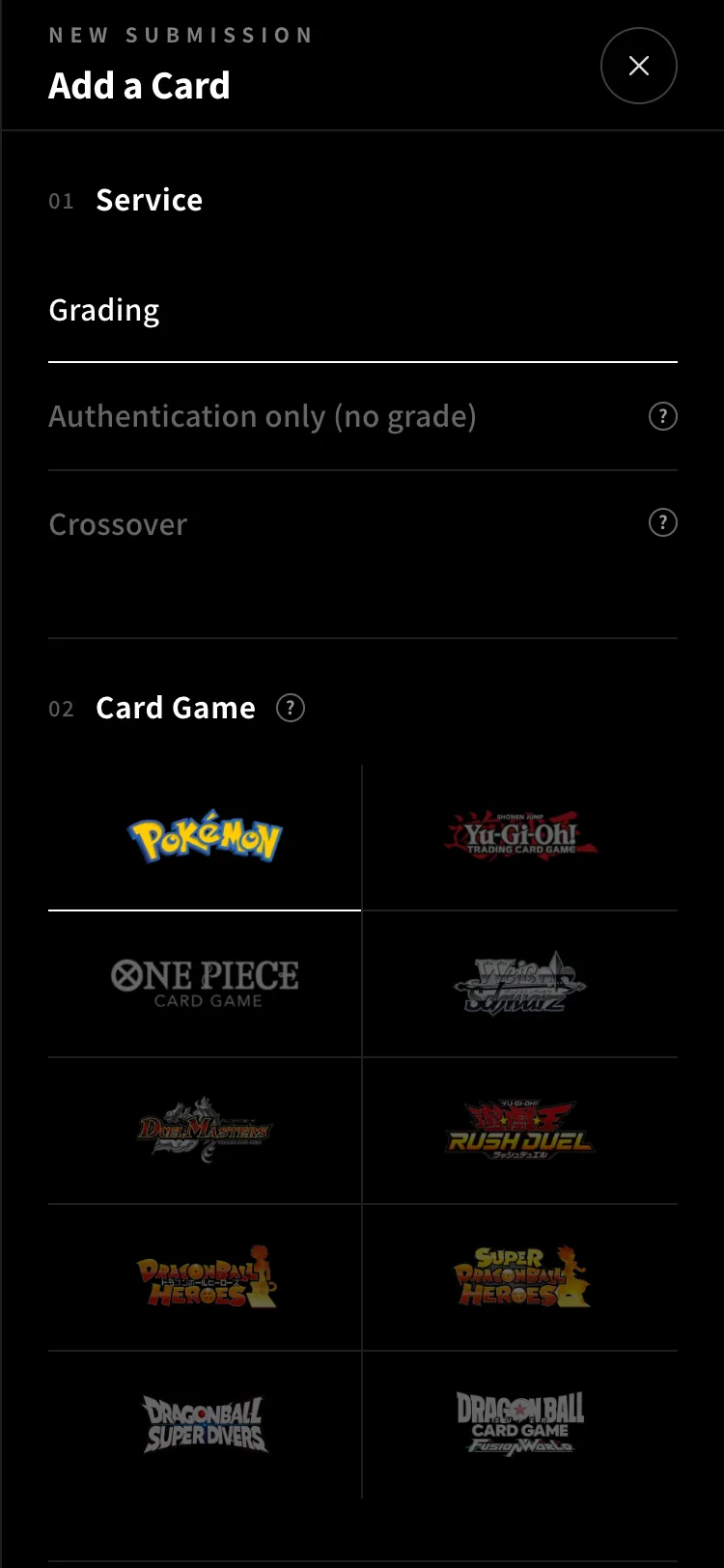
A panel opens from the right. First choose a service, then the card game.
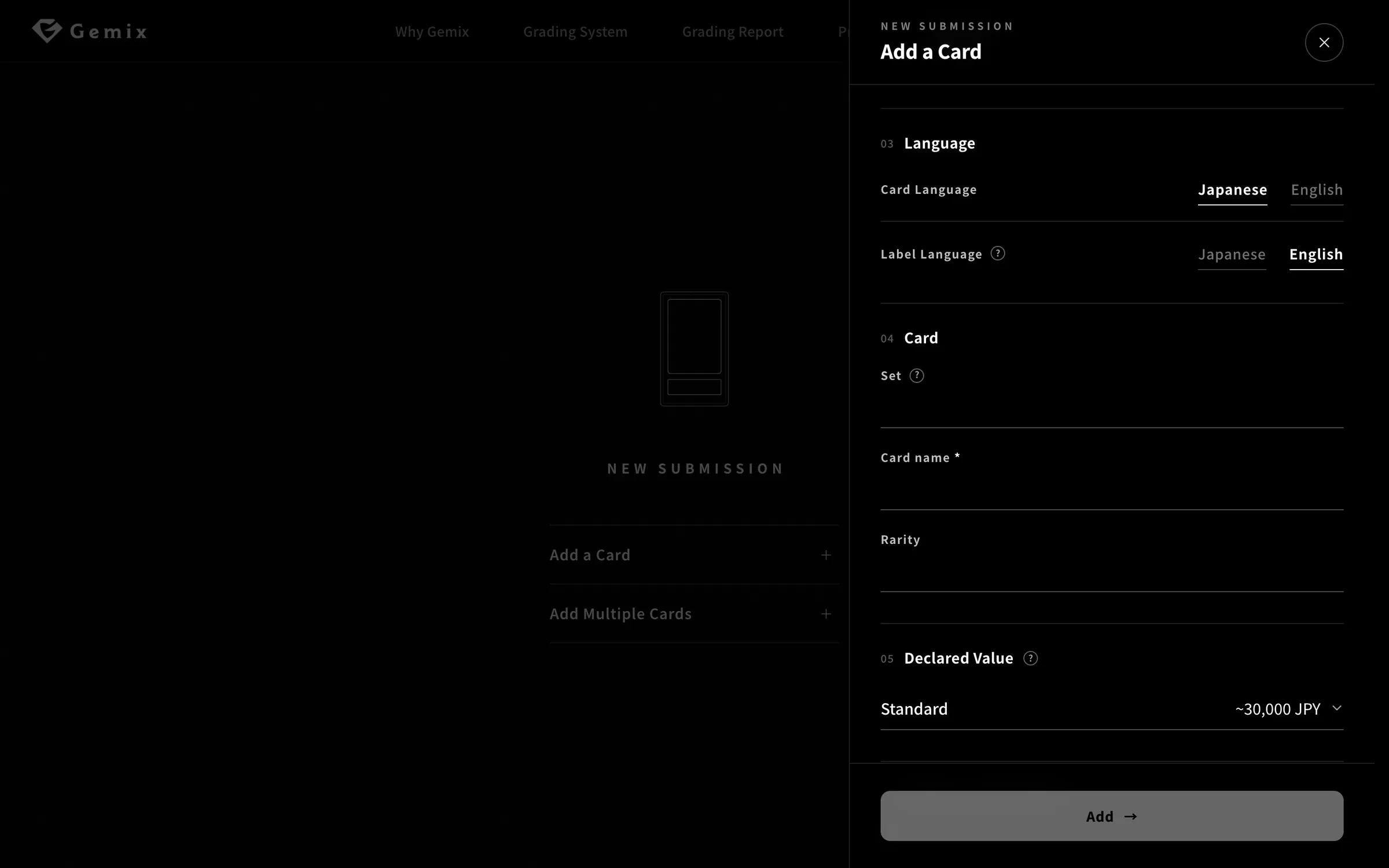
Choose the card’s language and the language printed on the slab label.
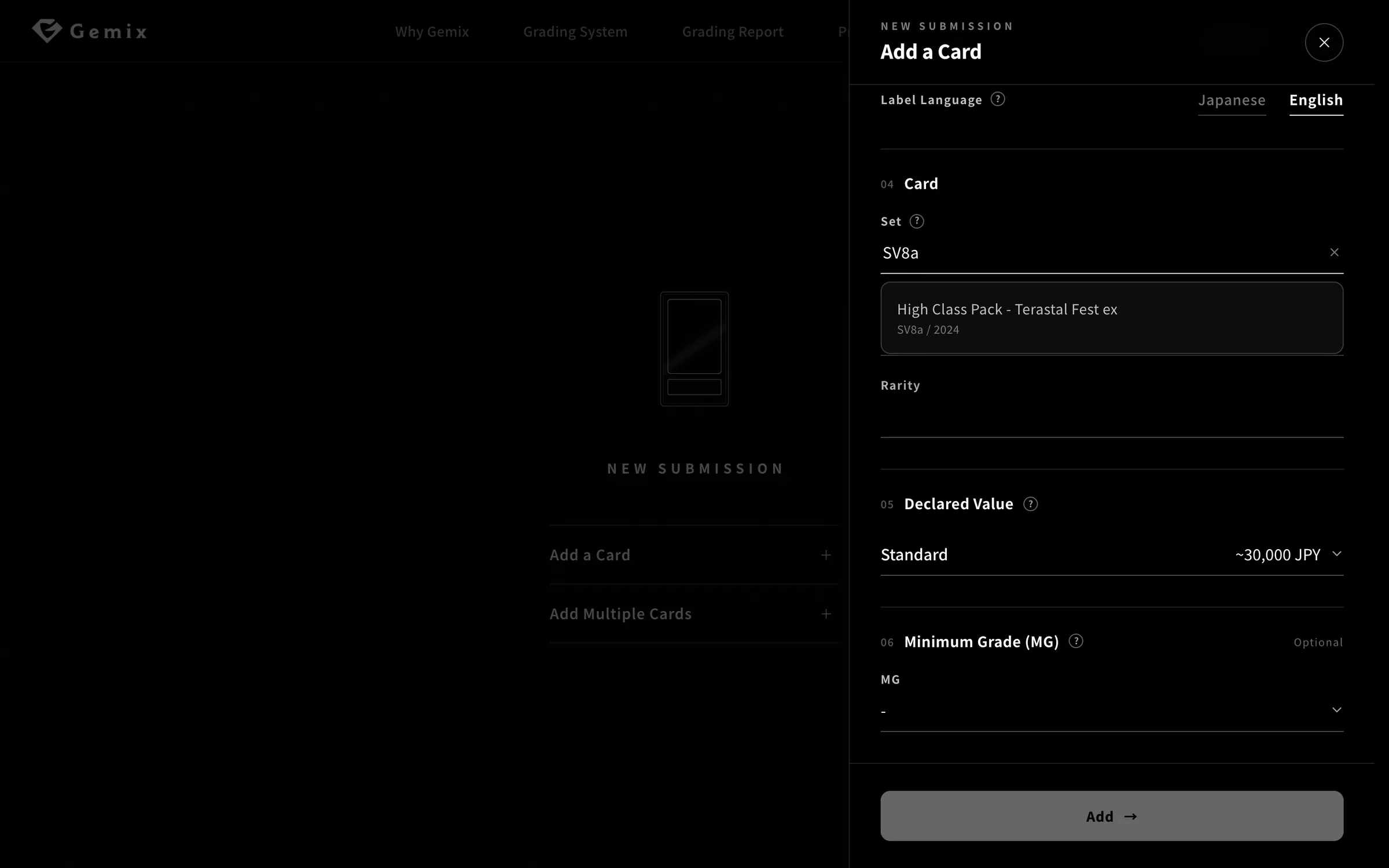
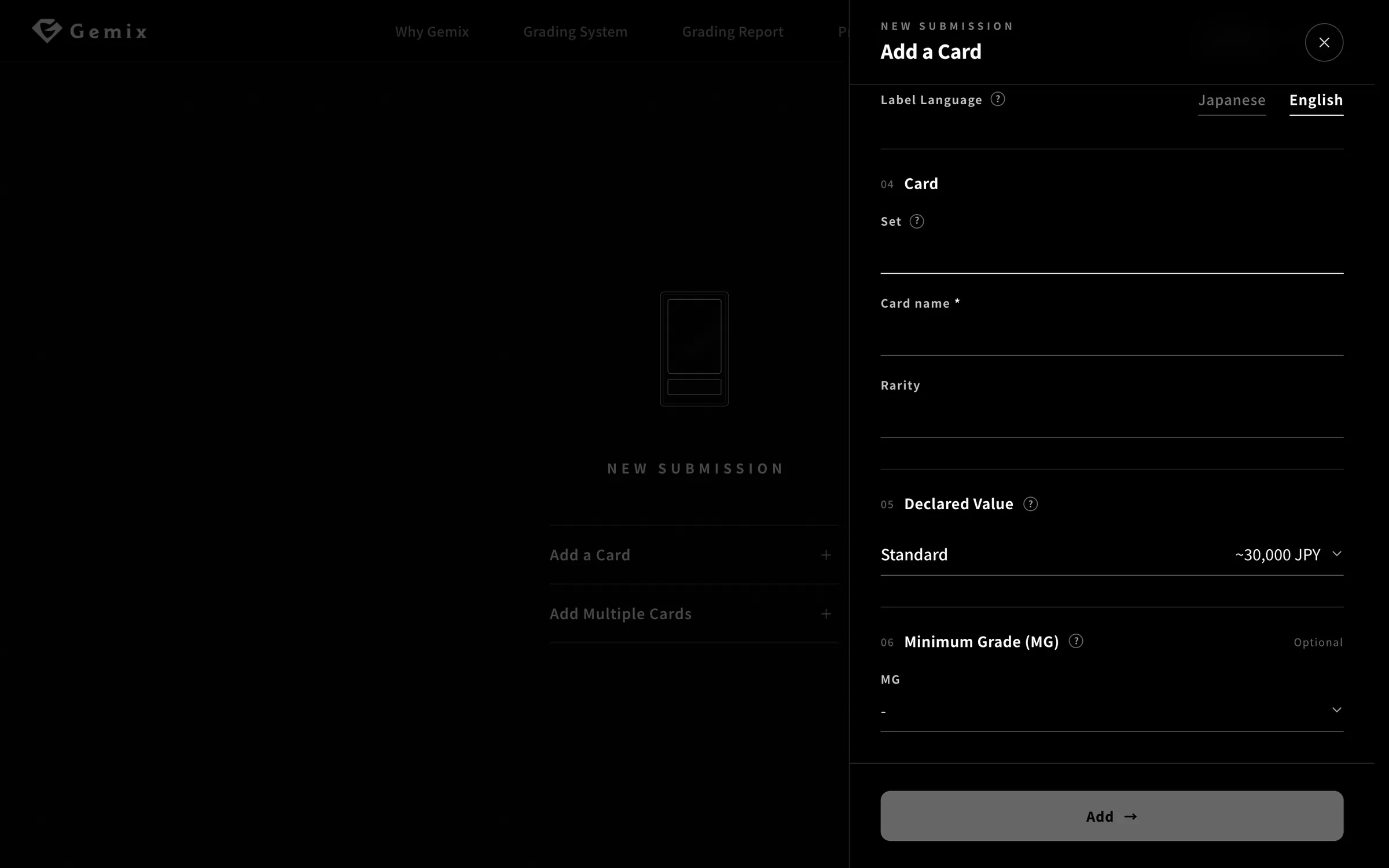
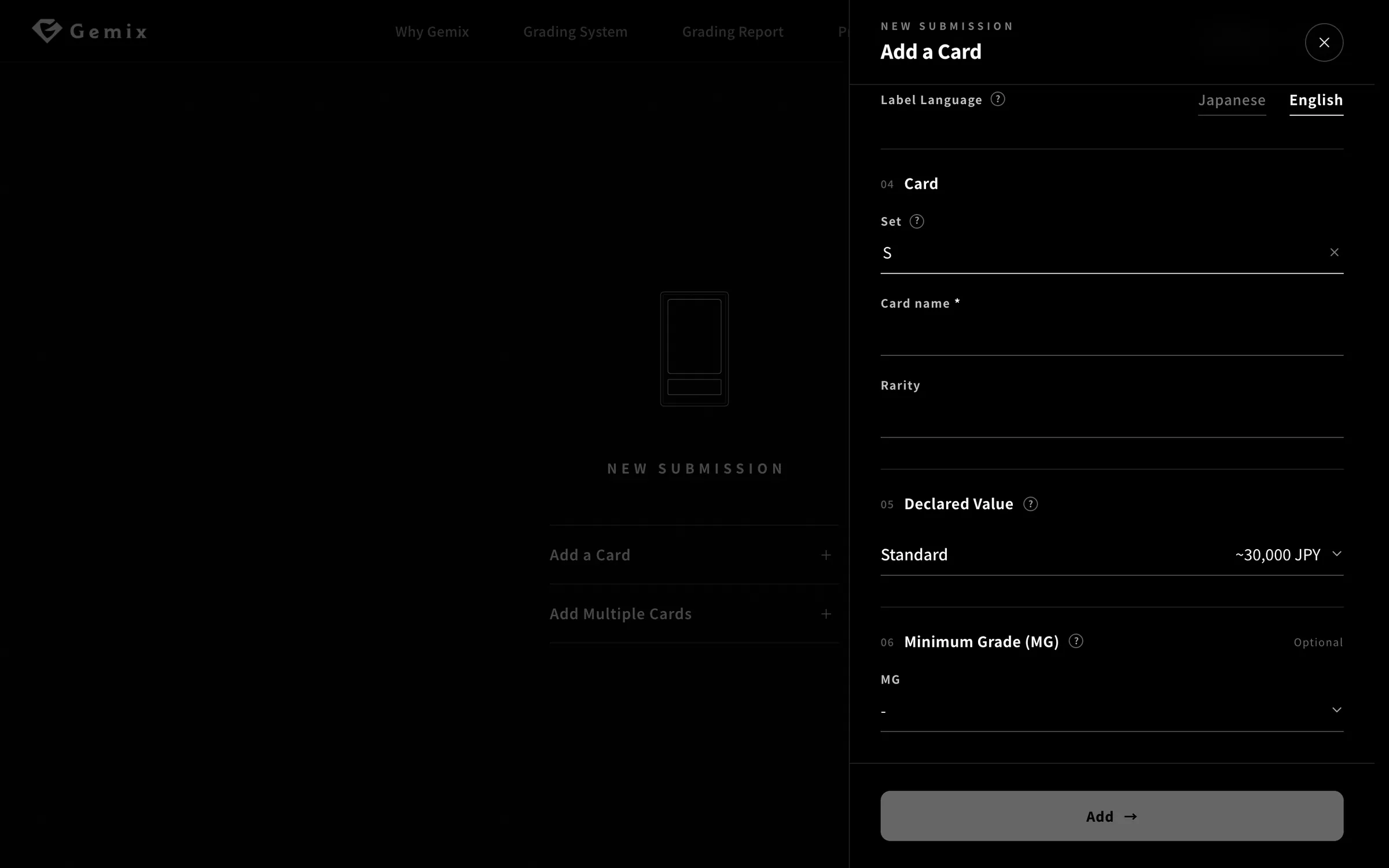
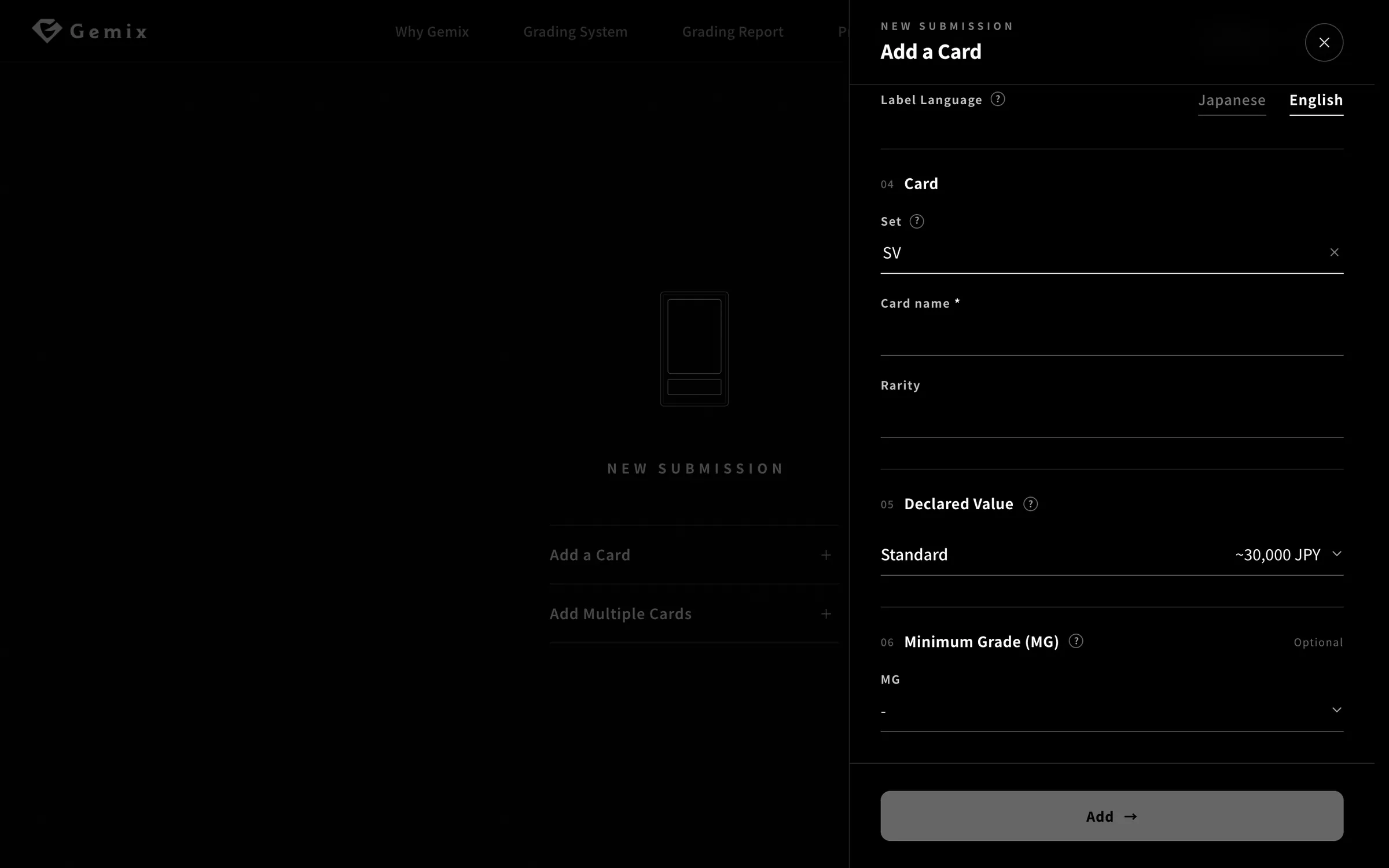
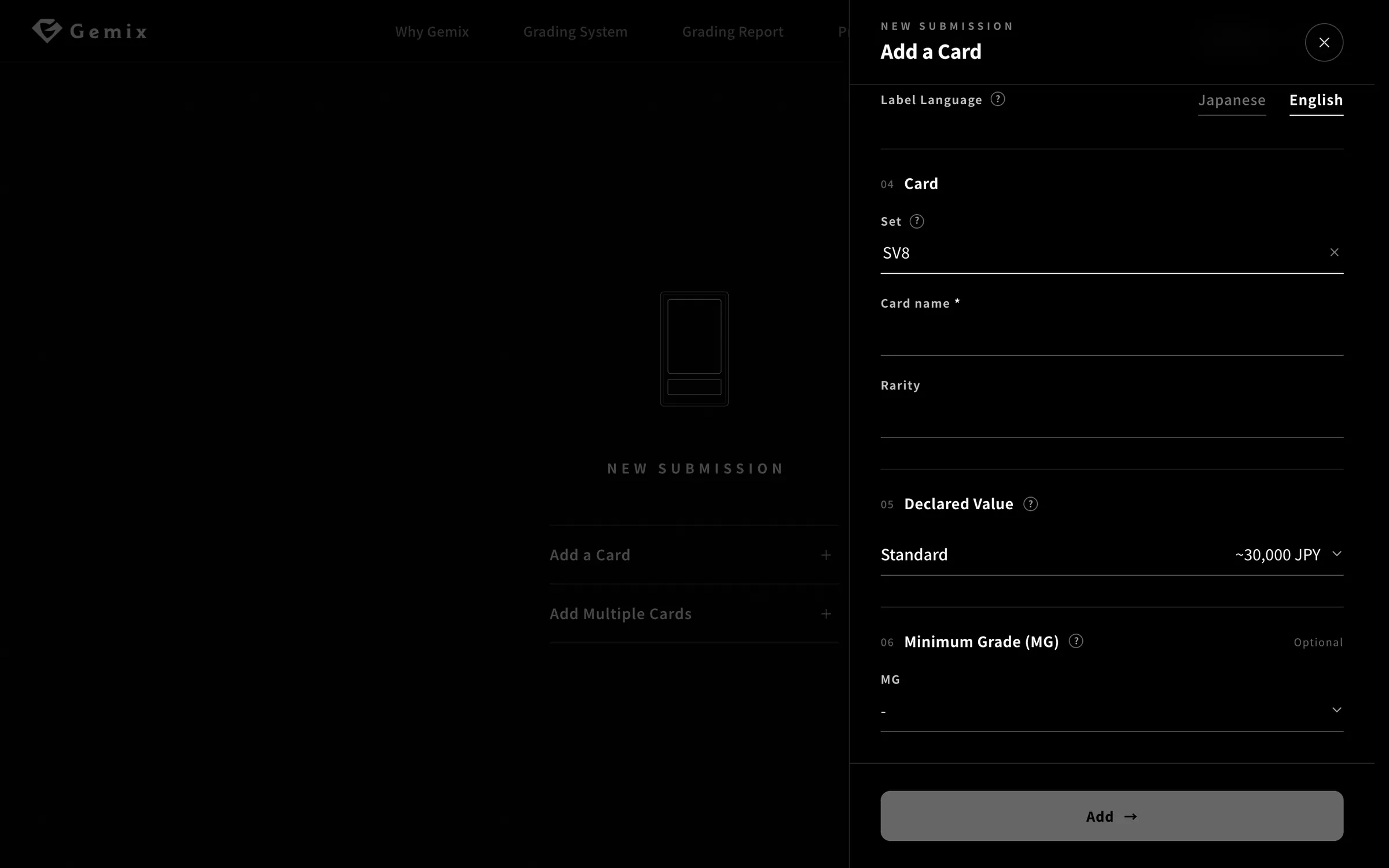
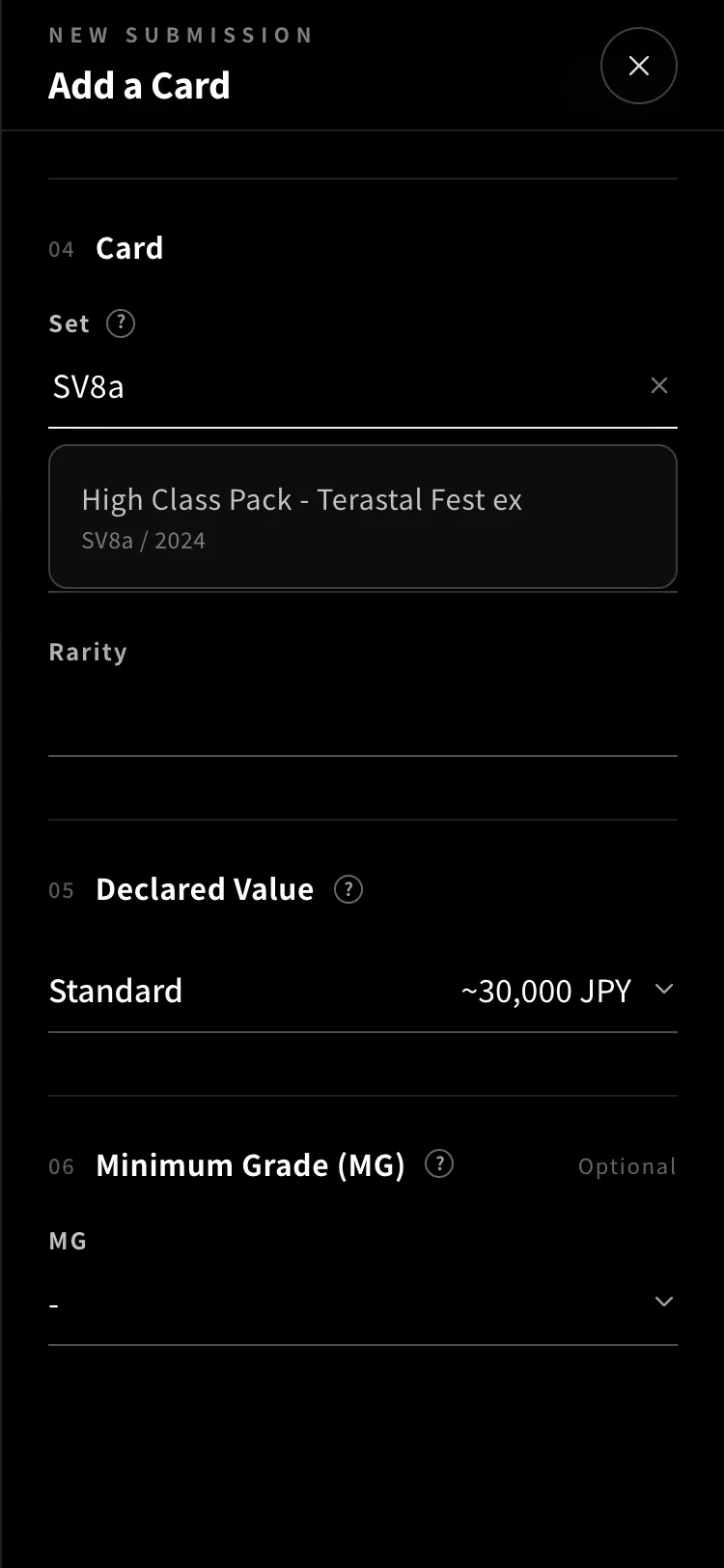
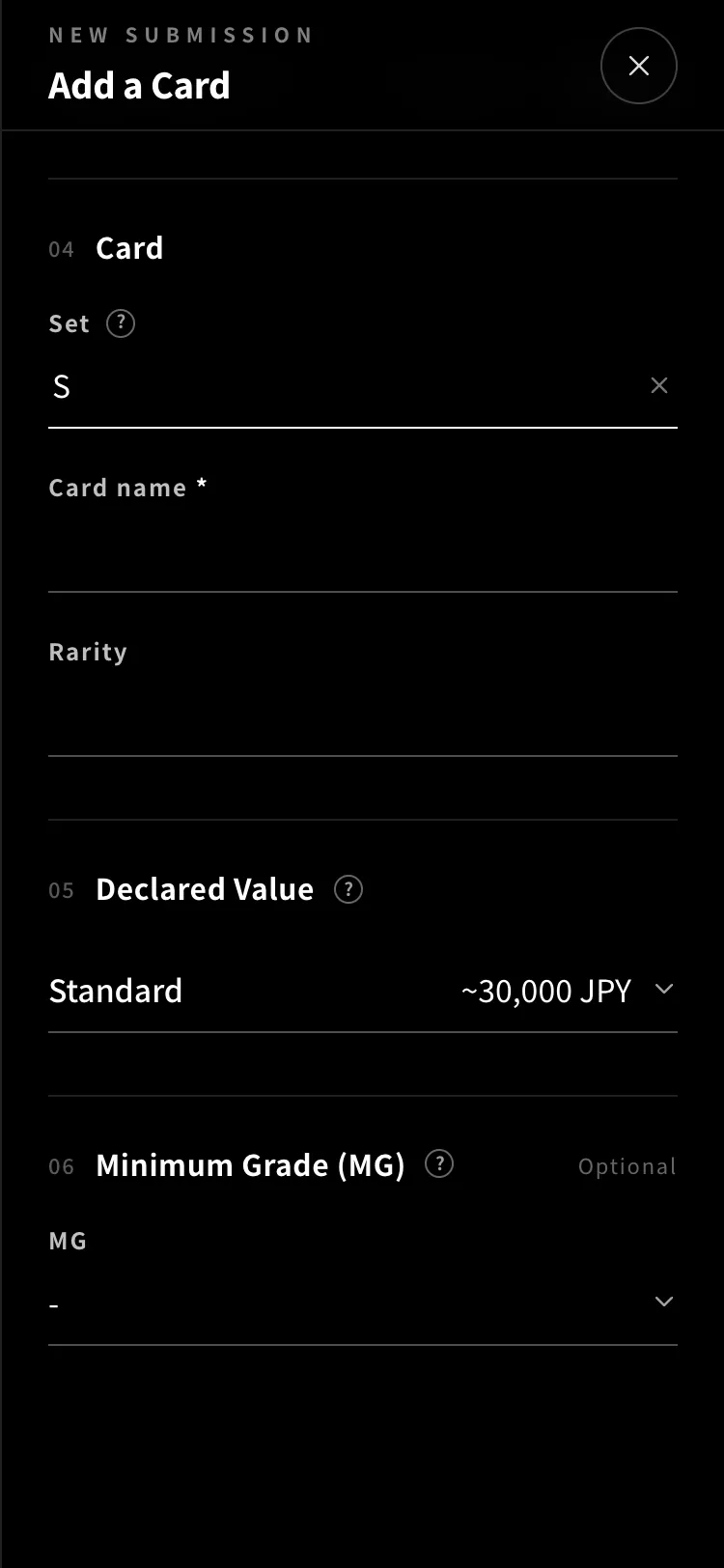
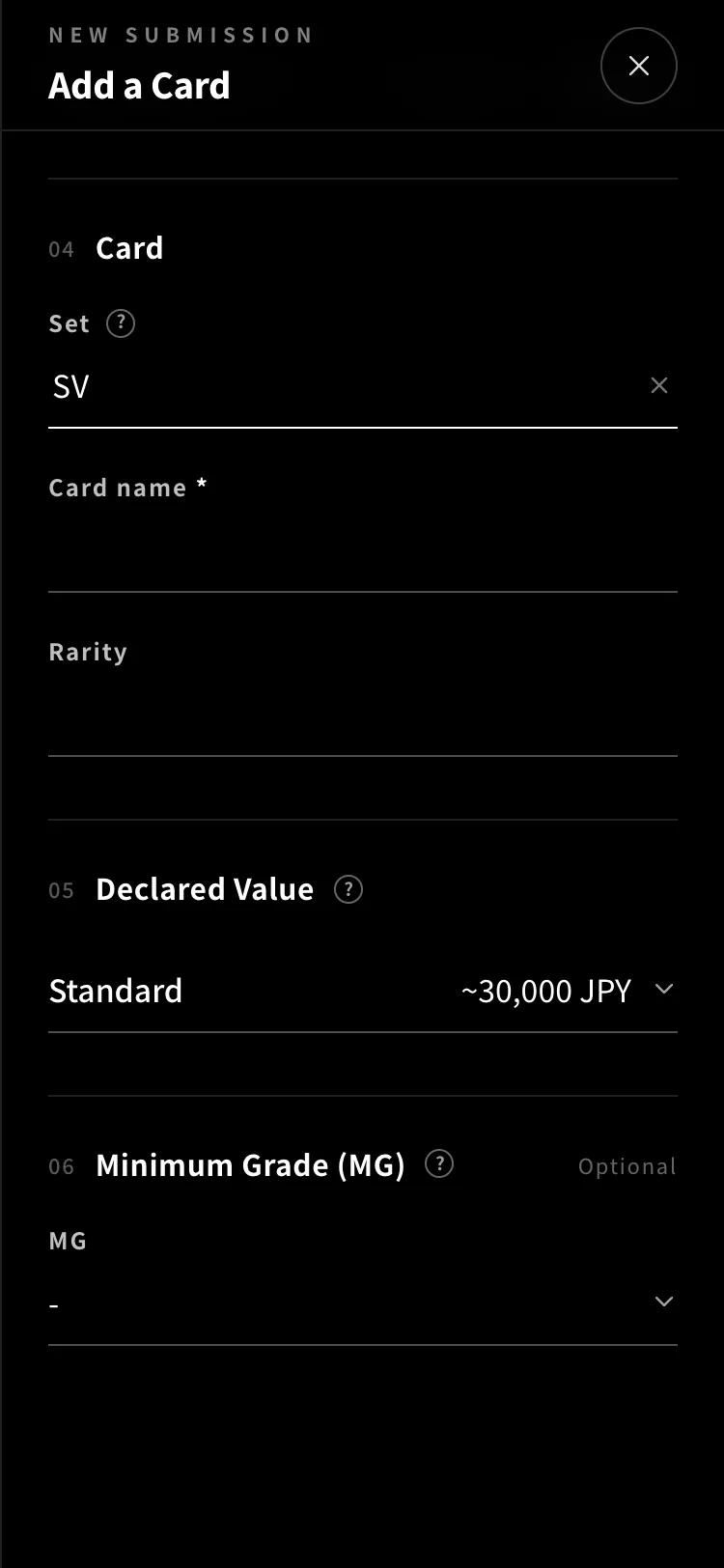
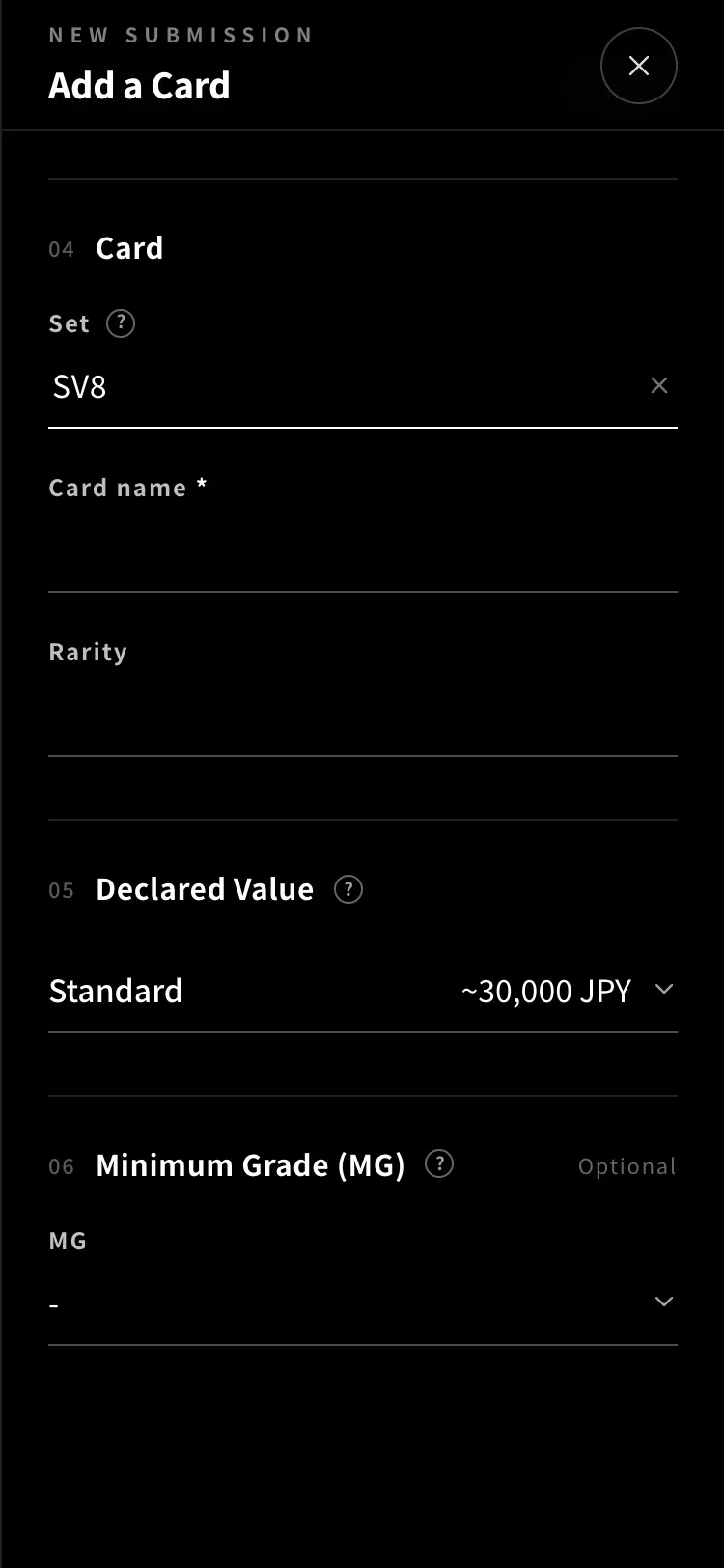
Type the code printed on the card (e.g. SV8a) into the Set field, and matching sets appear in a list below. Pick yours. If it isn’t listed, you can enter it manually.
POINT
You can also search by set name.
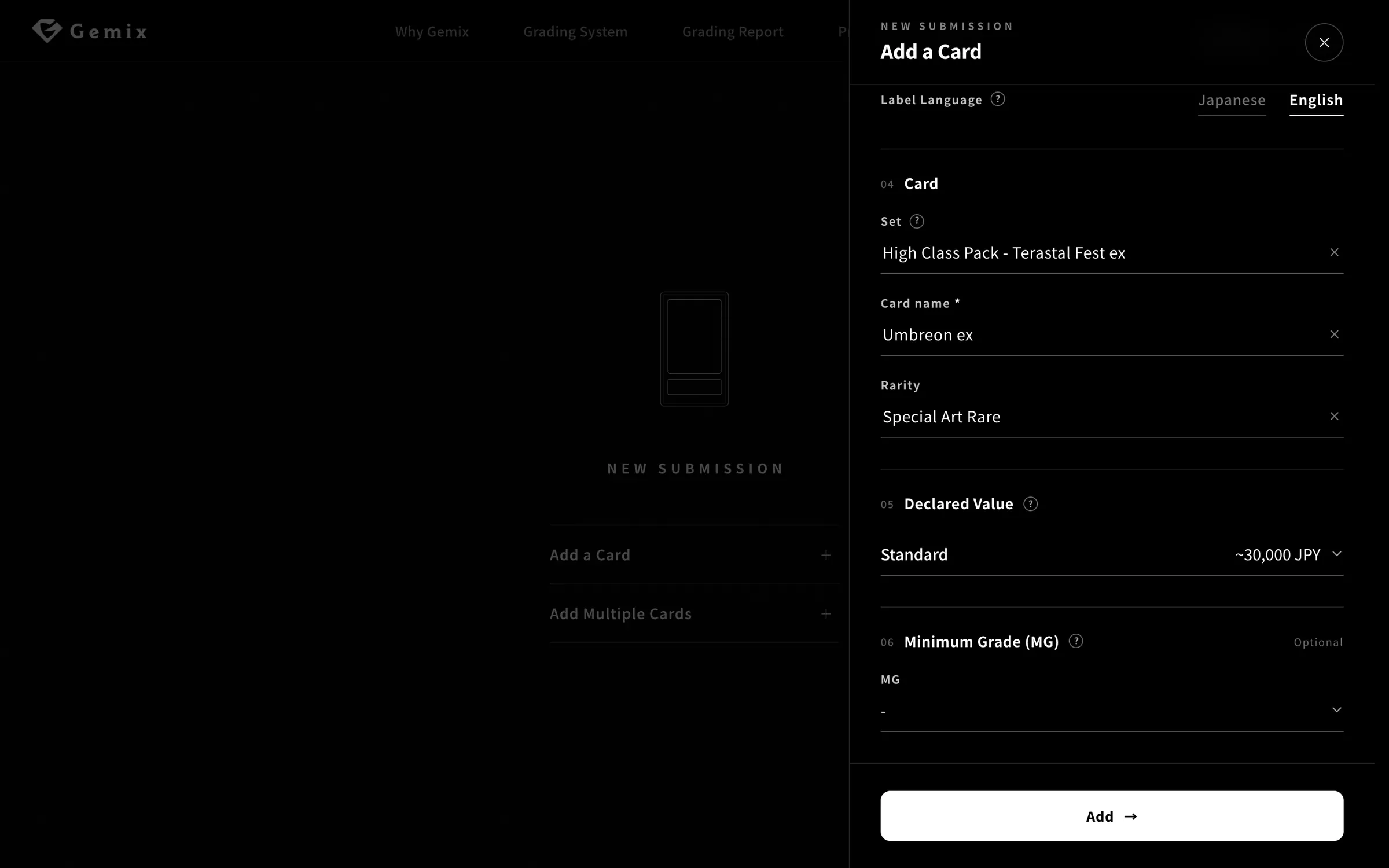
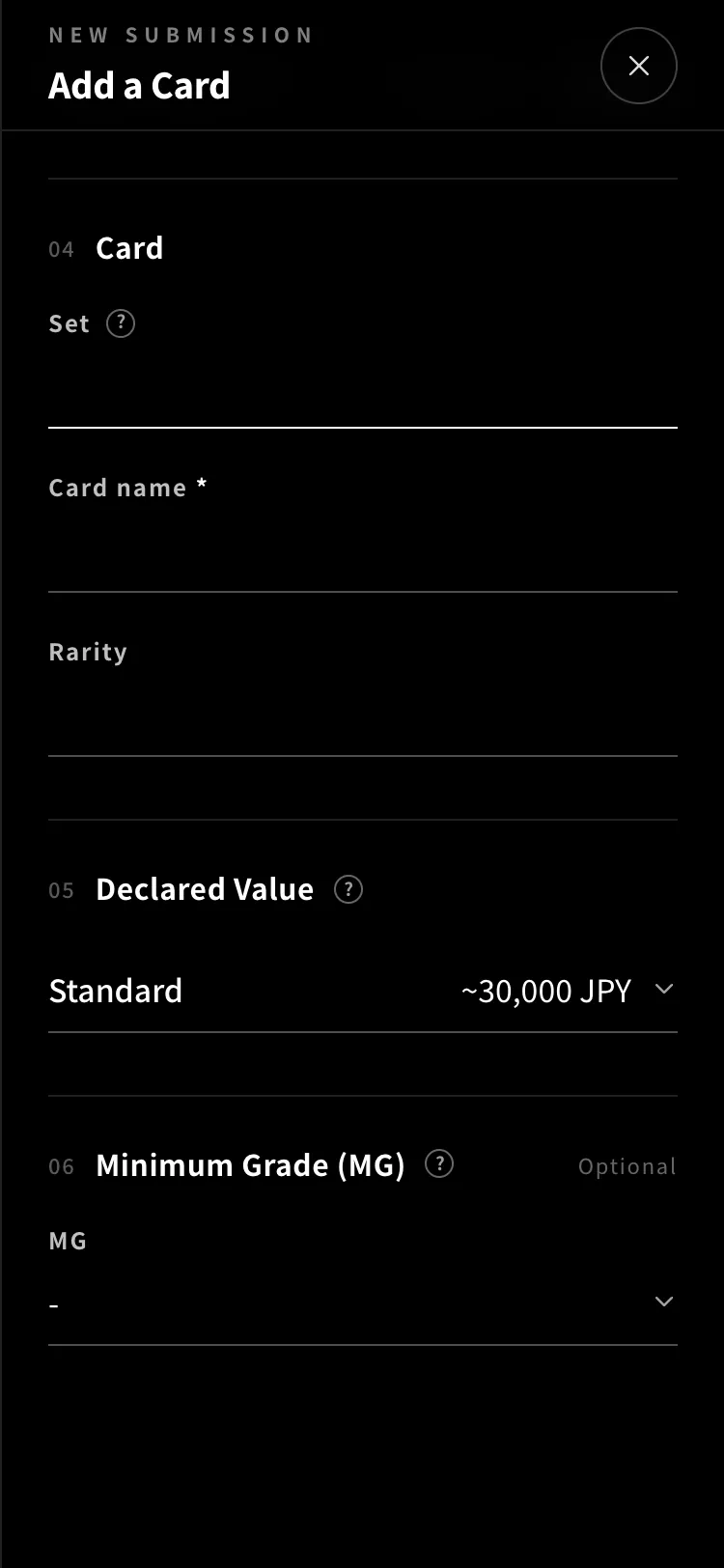
Once you’ve chosen the set, enter the card name and rarity. The set and rarity are optional.
POINT
If the rarity isn’t in the list, you can enter it manually.
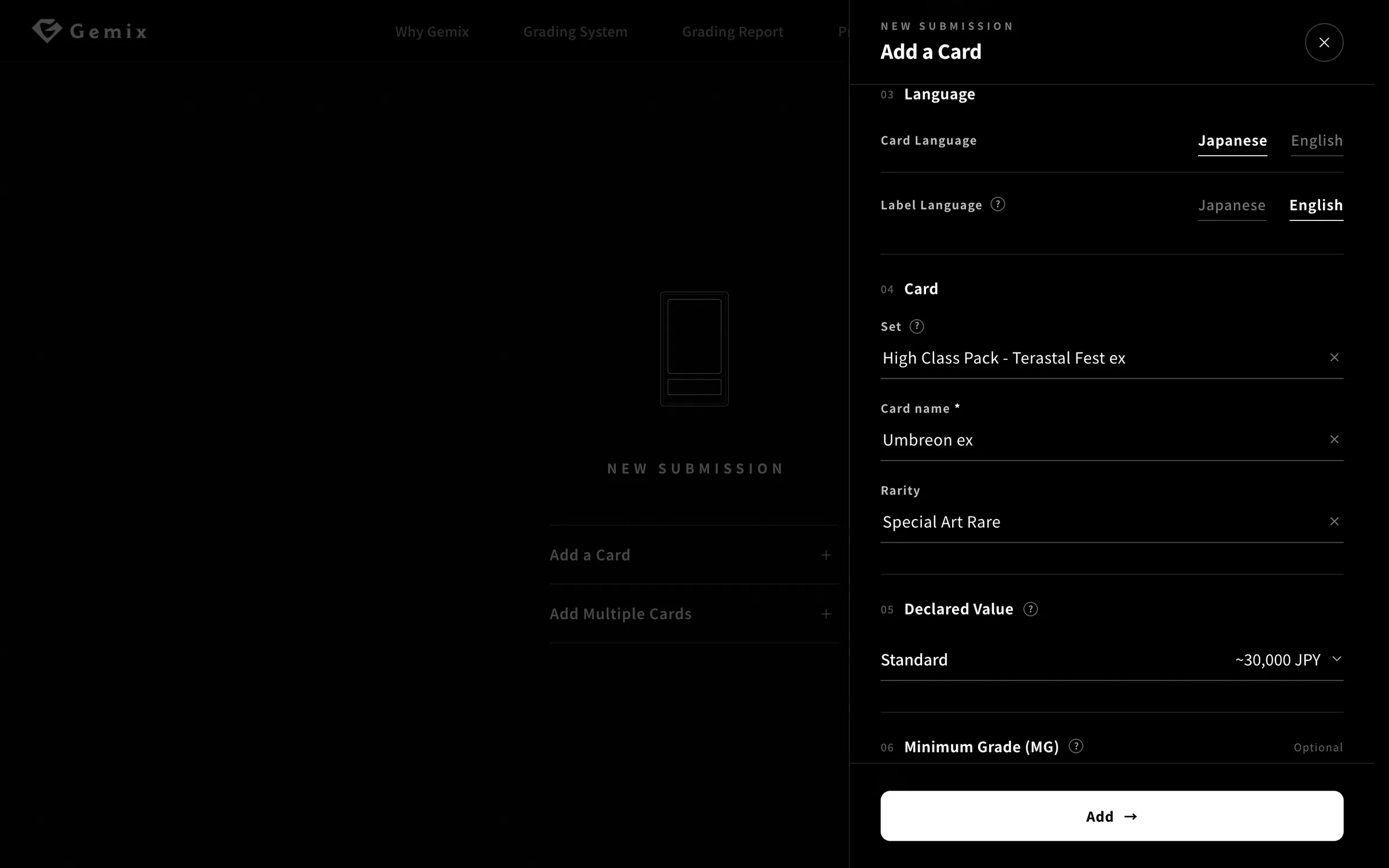
The declared value is the card’s market price in its ungraded condition. It sets the grading fee and is the upper limit of our coverage. A minimum grade (MG) is optional. Finish with “Add”.
POINT
Use recent sold prices on eBay and similar marketplaces as a guide.
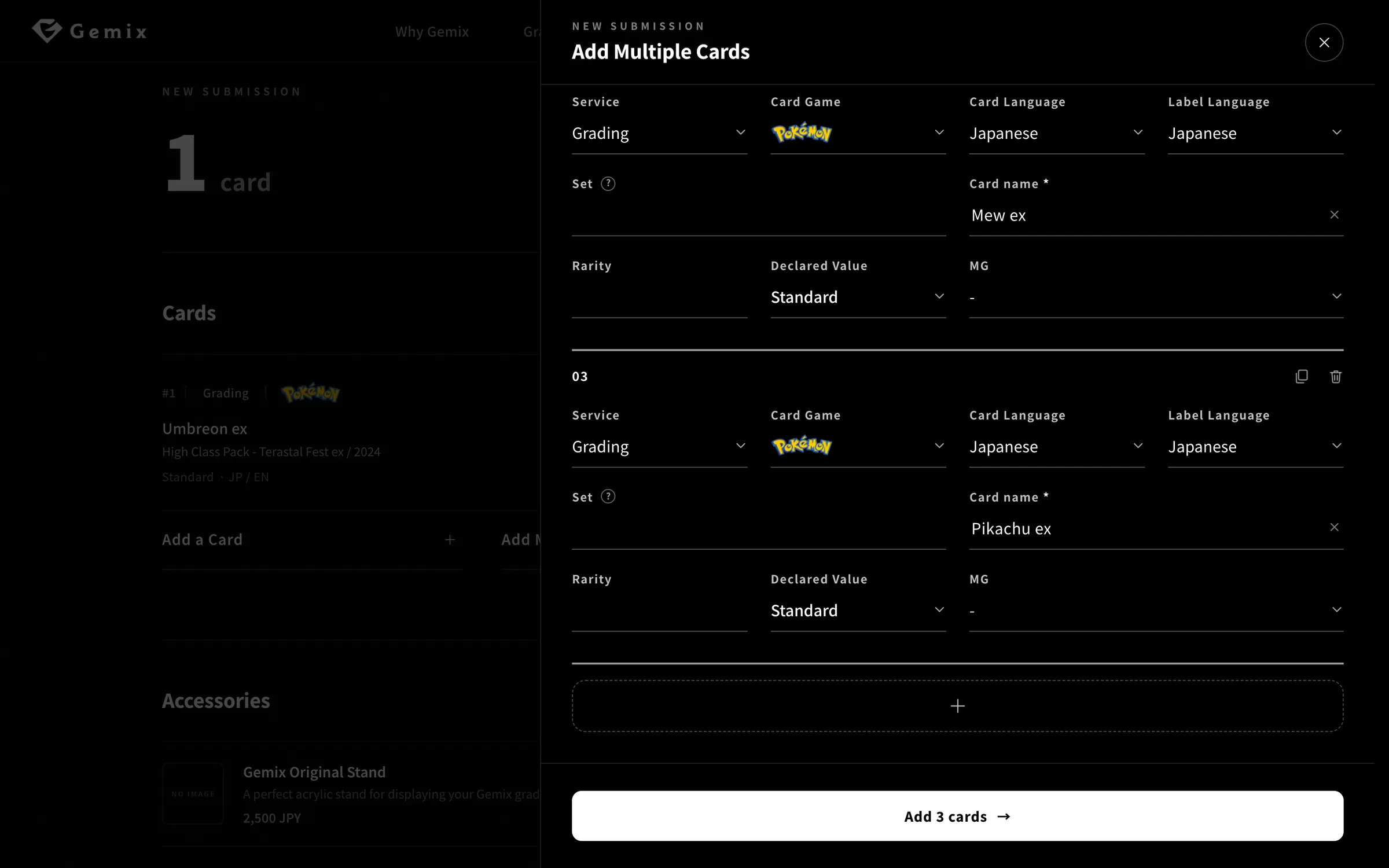
“Add Multiple Cards” lets you enter one card per row, like a spreadsheet. Use “+” at the bottom to add a row. New rows start with the same service, card game, languages and declared value as the row above.
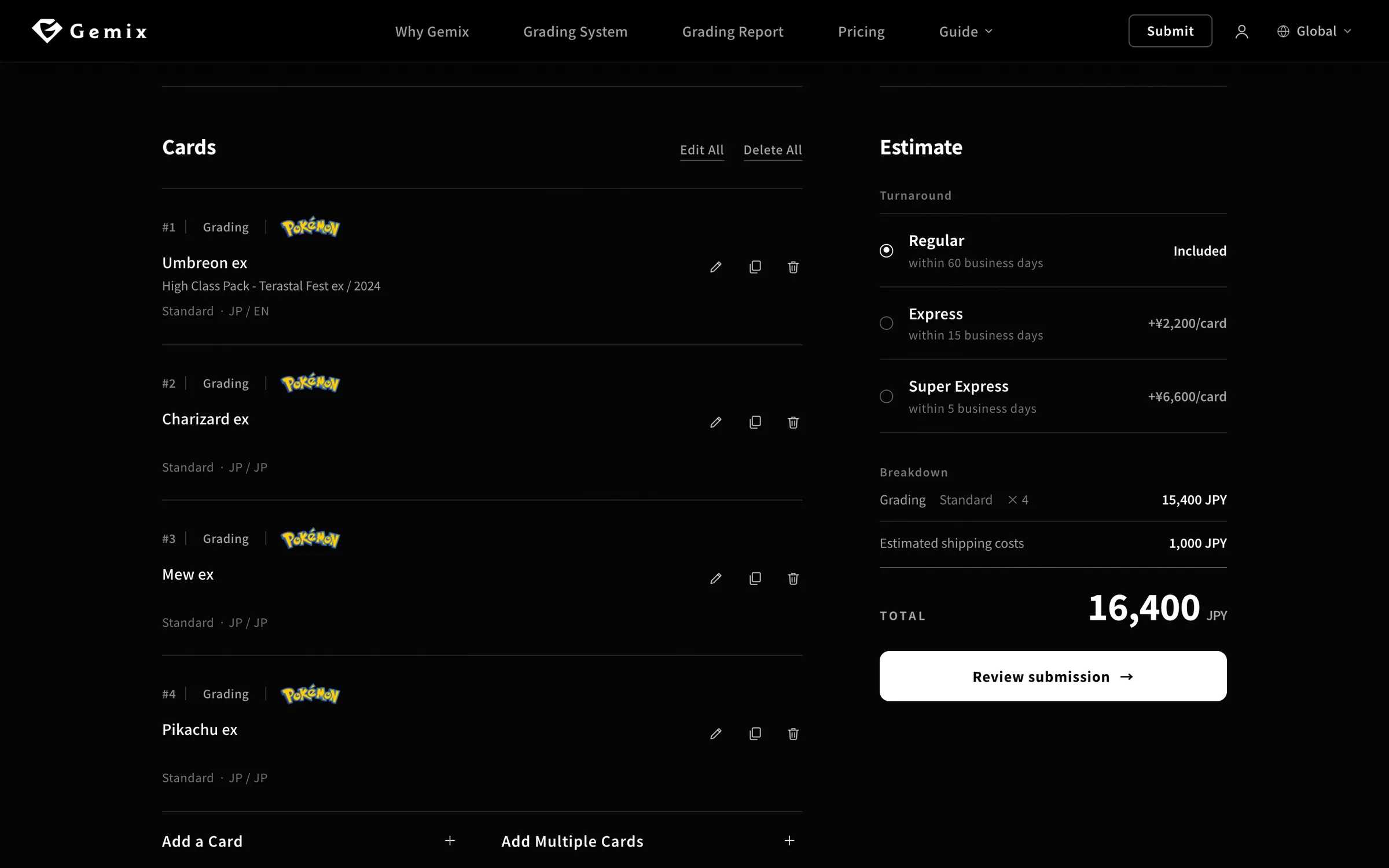
Once you add cards, your estimate appears on the right. Choose how quickly you want your cards back and the total updates. Then click “Review submission”.
All prices include tax. Times are estimates from when your cards arrive at Gemix until delivery.
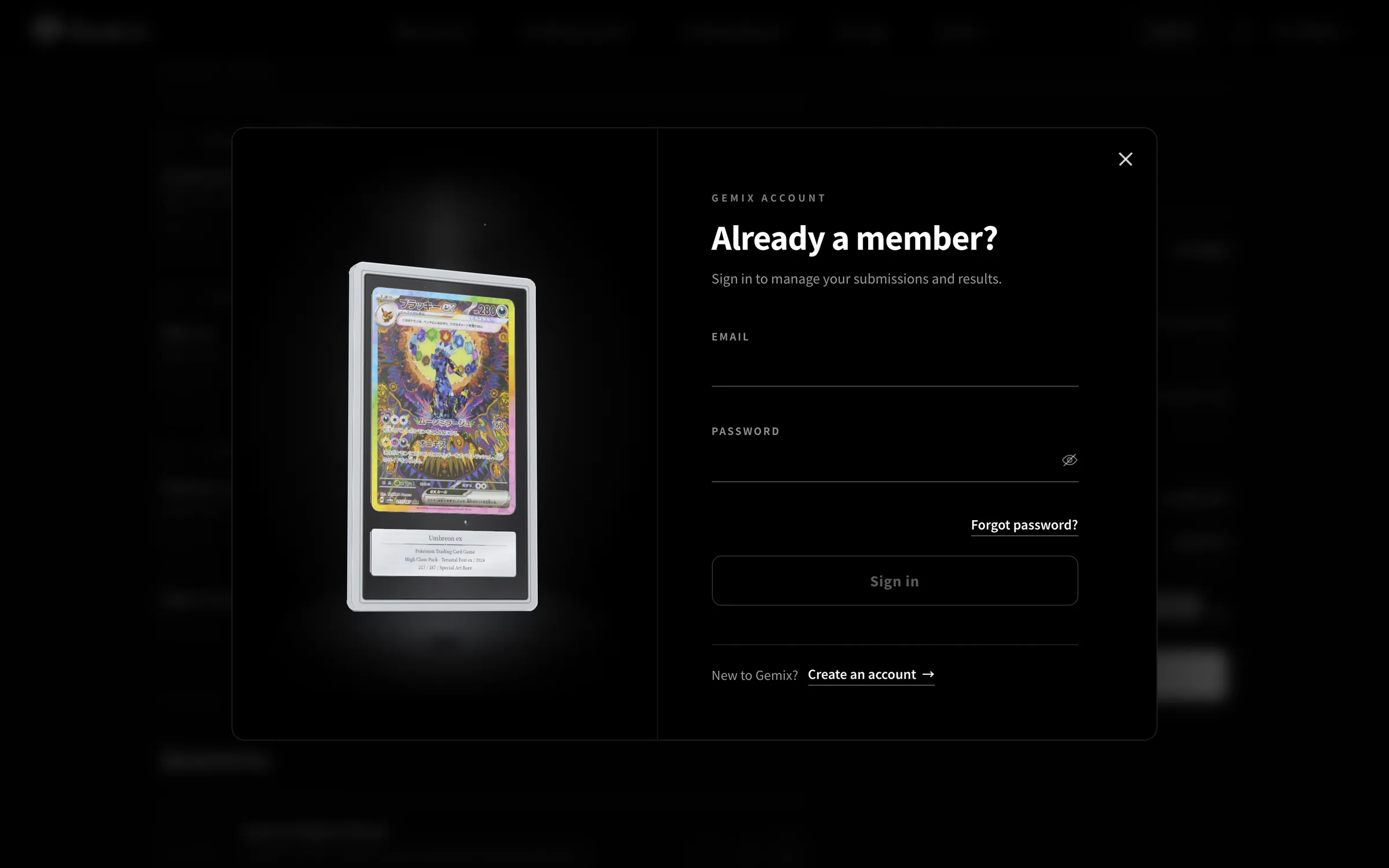
If you aren’t signed in, a sign-in screen appears before checkout. New to Gemix? Choose “Create an account” and set an email address and password.
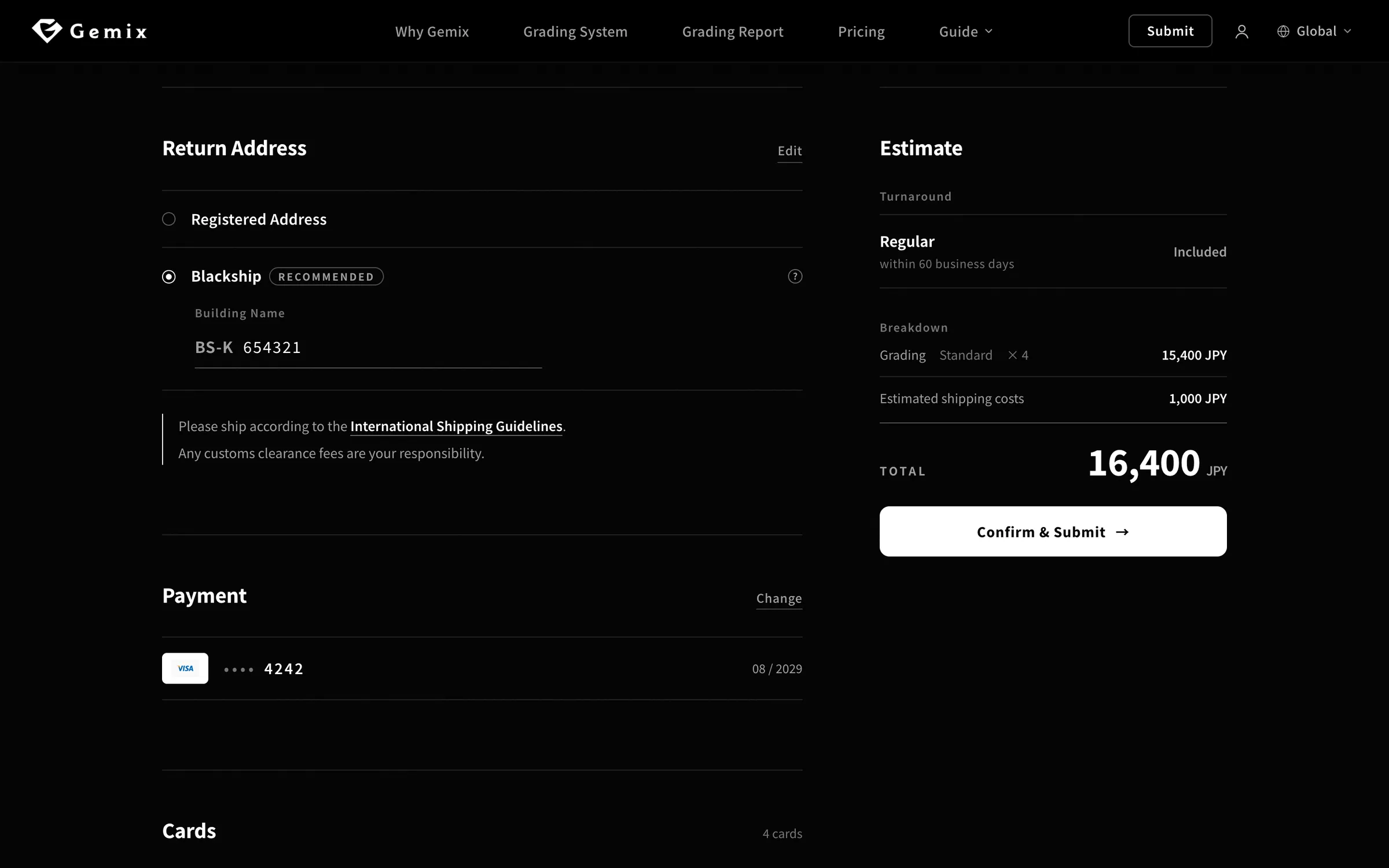
Check where we’ll send your graded cards, and the credit card you’ll pay with. If you live outside Japan, we recommend Blackship: choose it and enter the 6-digit number from your Blackship Building Name.
POINT
If you haven’t added an address or payment method yet, you can add them on this screen.
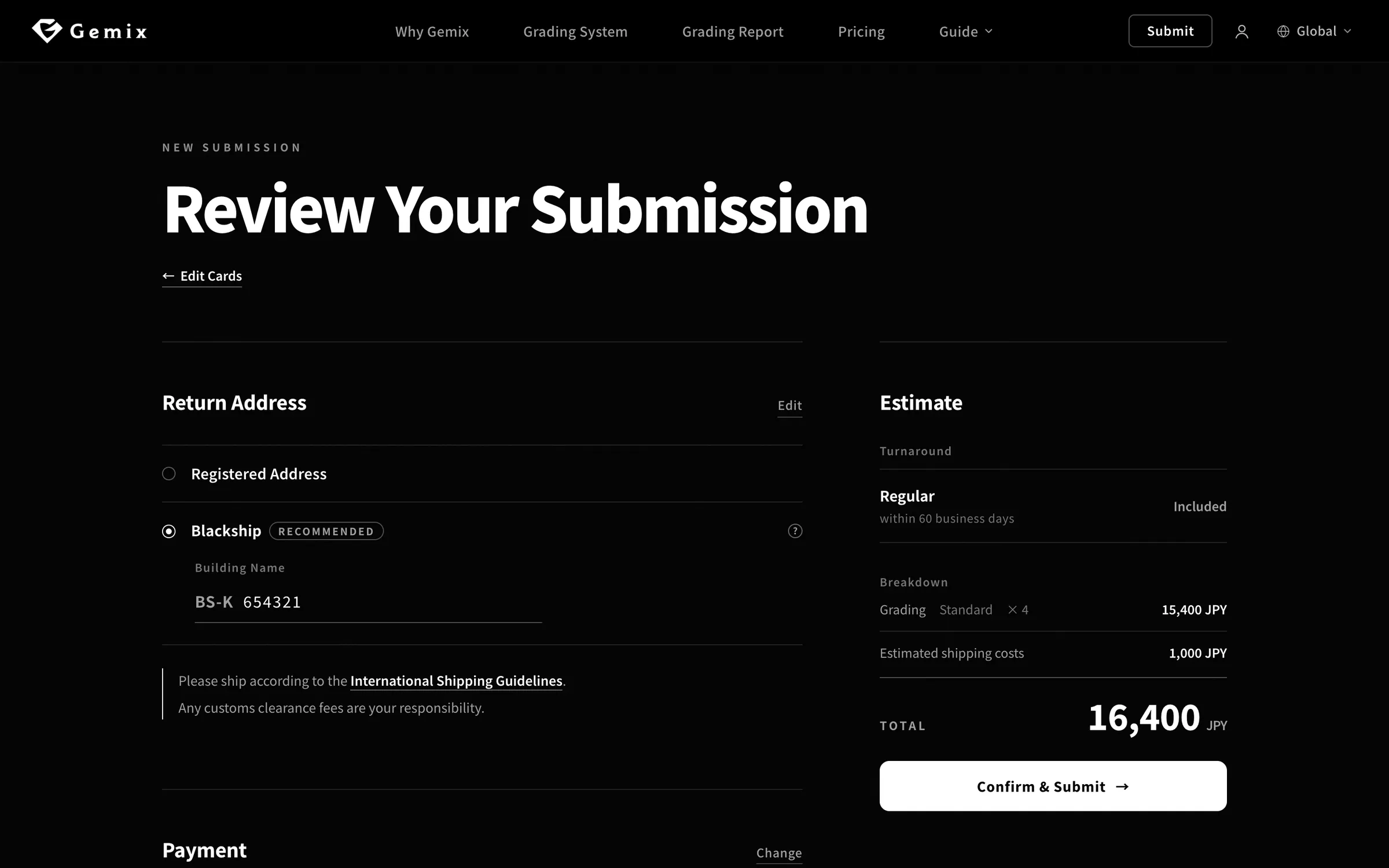
Check your cards and the estimate, then click “Confirm & Submit” on the right. You won’t be charged when you submit — your registered credit card is charged when grading is complete, and we’ll email your receipt then.
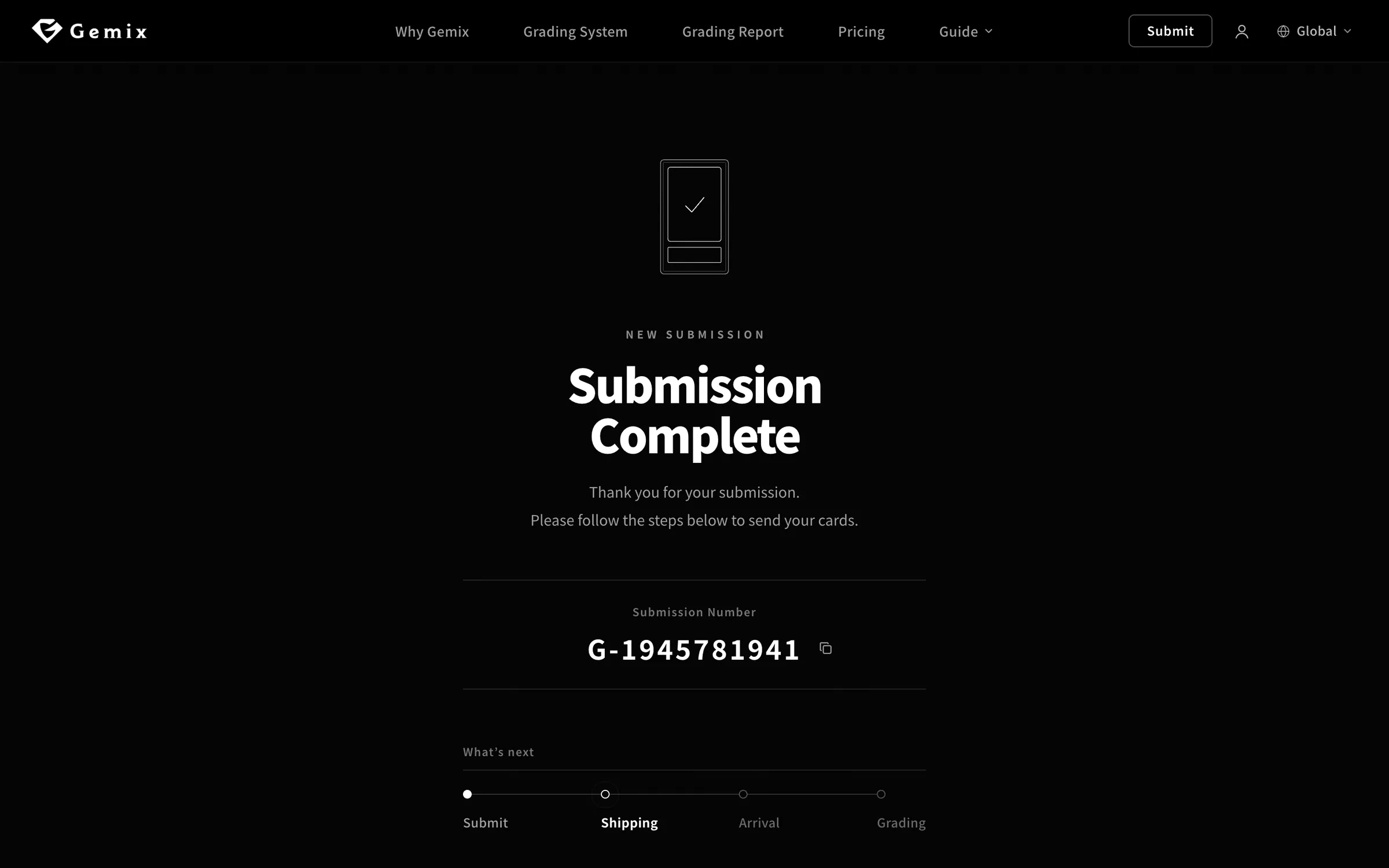
After you submit, you’ll see your submission number. You can check your submission at any time from the list in My Account.
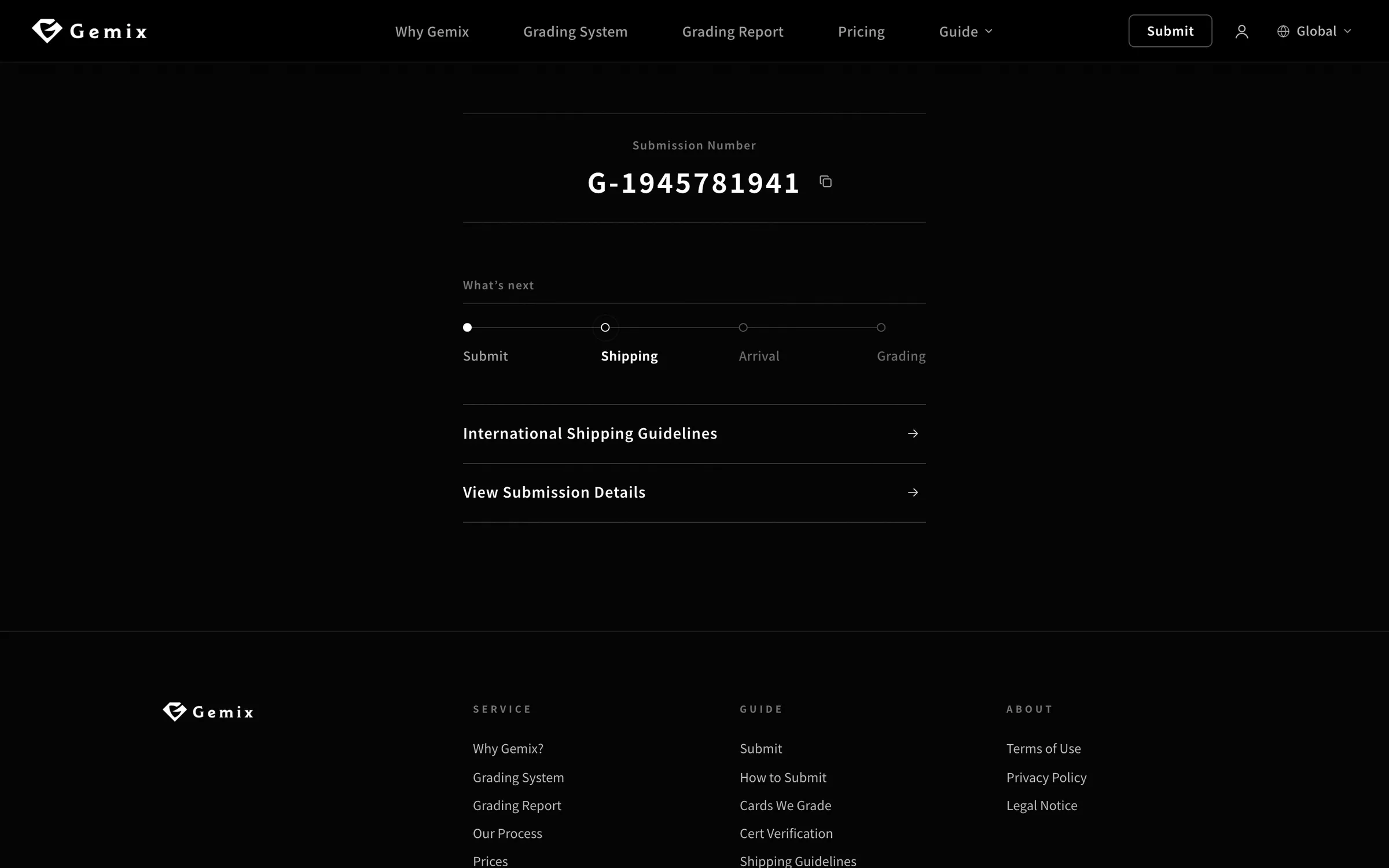
From this screen, open the International Shipping Guidelines to see how to fill in the customs form and pack your cards. When shipping from outside Japan, don’t include a printed submission form.
01 — Open the submission page
Amounts and numbers on screen are examples.
Amounts and numbers on screen are examples.
Shipping
Once you’ve submitted, pack your cards following the shipping guidelines and send them to Gemix.
Shipping from outside Japan
01 — Submission Number
After You Ship
Follow the progress on your submission page in My Account.
Shipping
Arrival
Grading
FAQ
Yes, an account is required to submit cards. It’s free — just set an email address and a password.
There’s a limit on the number of cards per submission. For more, please split them into separate submissions.
When shipping from outside Japan, please send your cards within 30 business days of submitting.
Not when shipping from outside Japan — please don’t include a printed form in the package. When shipping from within Japan, print it and send it with your cards.
Yes, as long as you haven’t shipped your cards to Gemix yet. We can’t accept cancellations after shipping.